 Plan de
Automatic calendar
Generates your month based on how often you post each week, mixing formats and pillars.
Pick your niche and how often you post, and get a calendar full of reel, carousel and story ideas, with ready-to-edit captions, hashtags and the holidays that matter in your country.
Free: up to 12 posts per month. No sign-up.
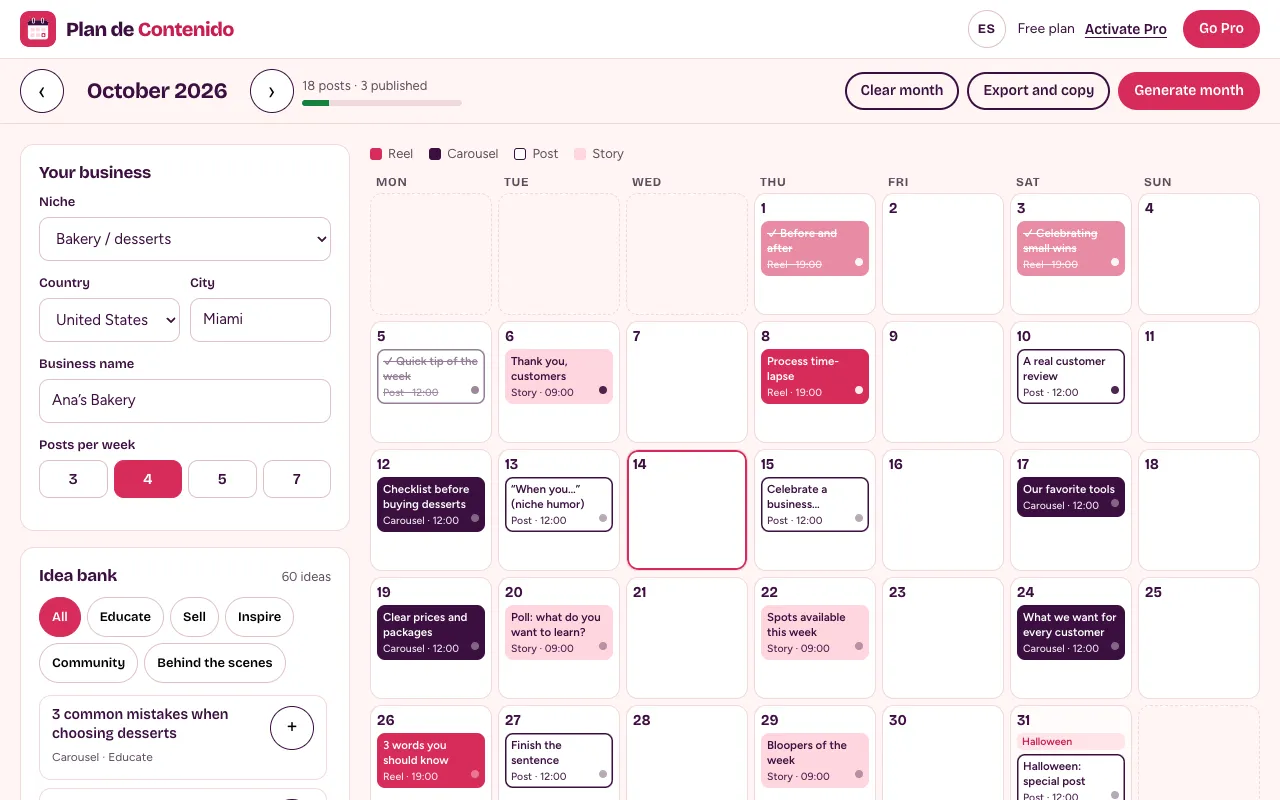
Decide how many times per week you will post (3 to 5 is a good start), spread posts across content pillars —educate, sell, inspire, community and behind the scenes—, give each day a format (reel, carousel, post or story) and a time, write captions with a hook in the first line and add the holidays that matter in your country. Plan de Contenido builds that calendar for you in seconds and you just fine-tune it.
Posting consistently is what grows a small account the most. The hard part is having ideas every day.
Generates your month based on how often you post each week, mixing formats and pillars.
A bank of 60 ideas adapted to 18 industries: food, beauty, fashion, fitness, health, travel, gardening and more.
Every idea comes with a hook, body and call to action, plus 40 hooks to swap the first line.
Hashtag sets from your niche and pillar, with your city and country, without repeating the same ones.
Mother’s Day for your country, Black Friday, Thanksgiving, Christmas and national holidays, already on the calendar.
Copy the week, download the month as an image, or send it to Google Calendar and Excel with Pro.
Niche, country, city and how many times per week you want to post (3, 4, 5 or 7).
Get a calendar with ideas balanced across 5 pillars plus your country’s holidays, like Mother’s Day or Thanksgiving.
Edit the caption, swap the hook, rotate hashtags and drag cards to another day if needed.
Mark each post as idea, in progress, ready or published, and copy the week for your team.
Copy the caption in one tap when you post and, with Pro, send the month to Google Calendar or Excel.
No contracts: cancel anytime from Hotmart.
Billed monthly. Cancel anytime.
Secure checkout with Hotmart: card, PayPal and local methods. Activate Pro inside the app with your purchase email, instantly.
We plan, design and publish your content every month, with a results report.
It is your plan for what to post each day: topic, format, time, caption and hashtags. It saves you from improvising and helps you post consistently.
For a small business, 3 to 5 posts per week is a good starting point. Consistency matters most: 3 every week beats 7 in one week.
The main themes of your account. Plan de Contenido uses 5: educate, sell, inspire, community and behind the scenes, so you are not selling all the time and your audience sticks around.
It depends on your audience. As a starting point the app suggests reels at 7 p.m., carousels and posts at noon and stories at 9 a.m.; then adjust with your account insights.
Instagram allows up to 30. We recommend 8 to 12 relevant ones: the app mixes hashtags from your niche, pillar, country and city, and warns you if you go over.
No. Plan de Contenido helps you plan and write. When the day comes, copy the caption in one tap and post from Instagram or Meta Business Suite, where you can also schedule.
In your browser, on this device. No account needed. You can download a backup to move it to another device and, with Pro, export it to Excel or your calendar.
Subscribe on Hotmart and tap “Activate Pro” in the app with your purchase email. Cancel anytime from Hotmart.
A step-by-step guide and other free Armony apps for your business.